Beta Digital product
swtch
Don't just migrate. Switch.
The SAP PO migration platform that turns integration chaos into a governed modernisation plan. Extract, analyse, triage, and migrate, with AI-powered insights and auditable approvals at every step.
6 Steps
Extract to migrate
AI-powered
Analysis orchestration
4R Framework
Retire · Rehost · Refactor · Rebuild
Auditable
Role-based approvals
How it works
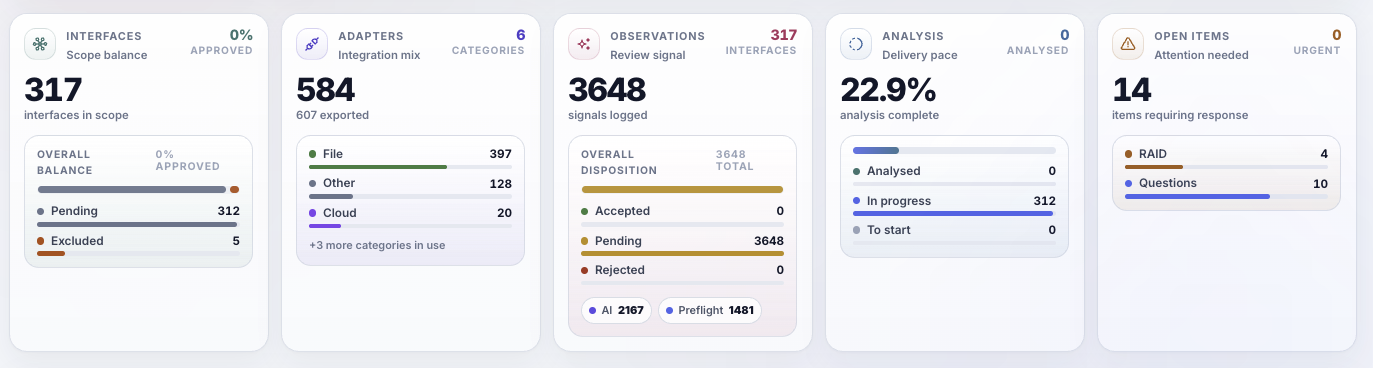
From SAP PO export to migration-ready backlog
Switch guides you through a structured journey, with each step building on the last. No spreadsheets, no guesswork.
Extract
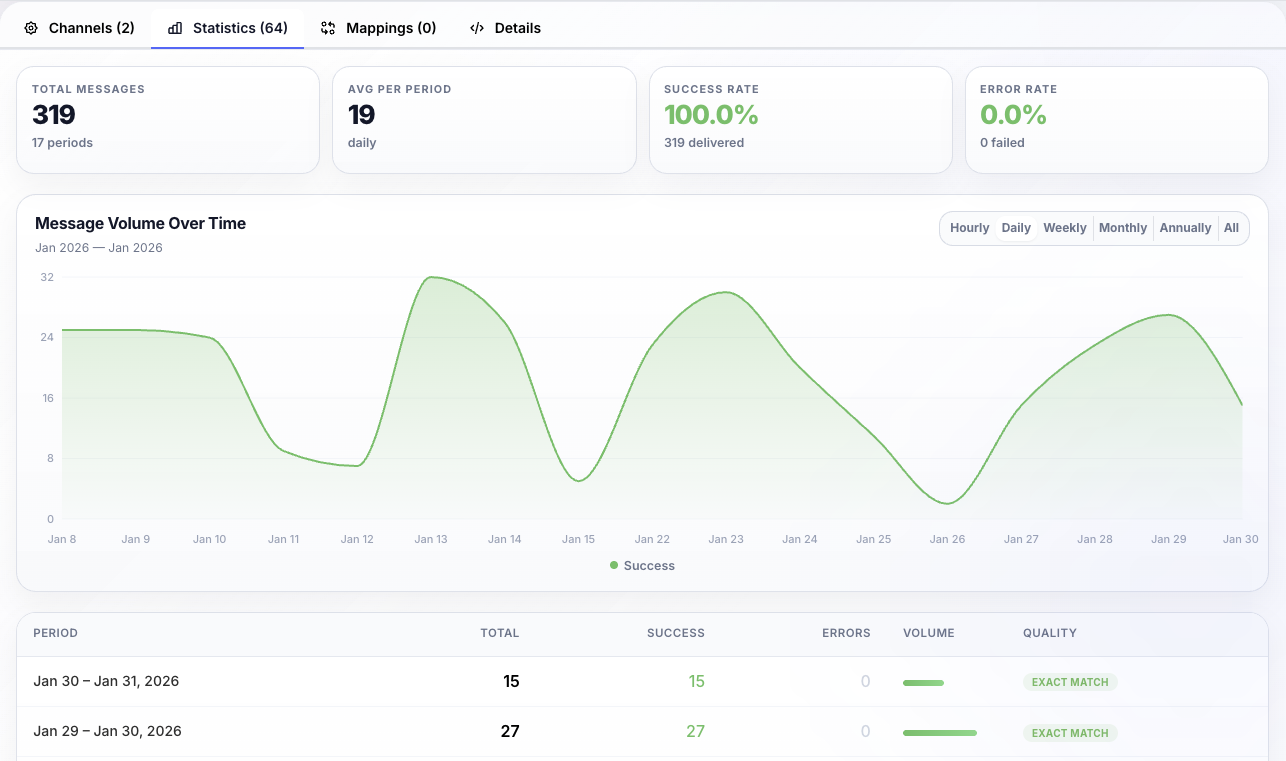
Export your SAP PO configuration and usage data in one go (interfaces, channels, mappings, message types and dependencies) so you start with an accurate view of the landscape.
Analyse
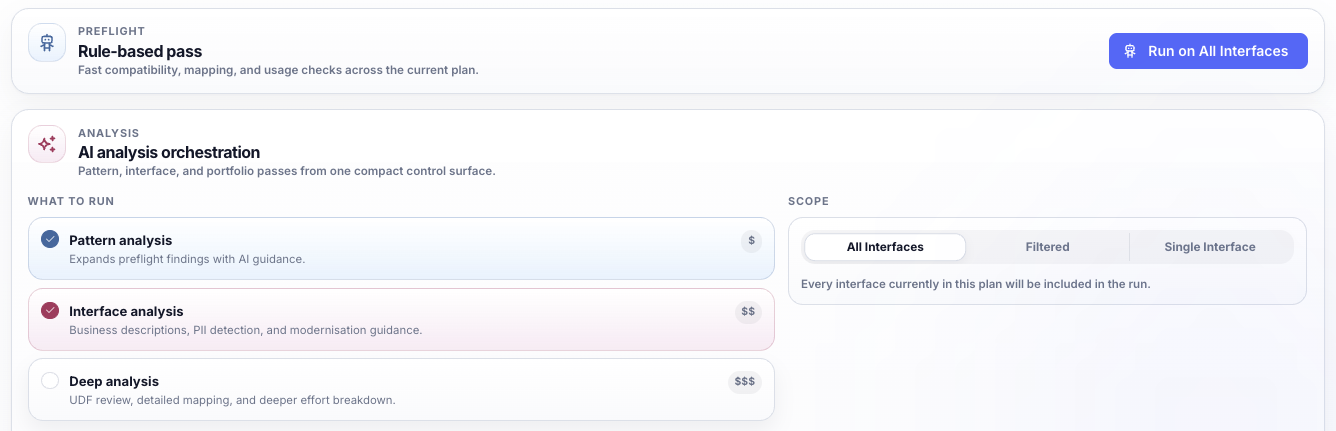
AI-powered analysis orchestration runs rule-based, pattern, interface, and deep analysis across your entire landscape, surfacing modernisation opportunities that manual review would miss.
Triage
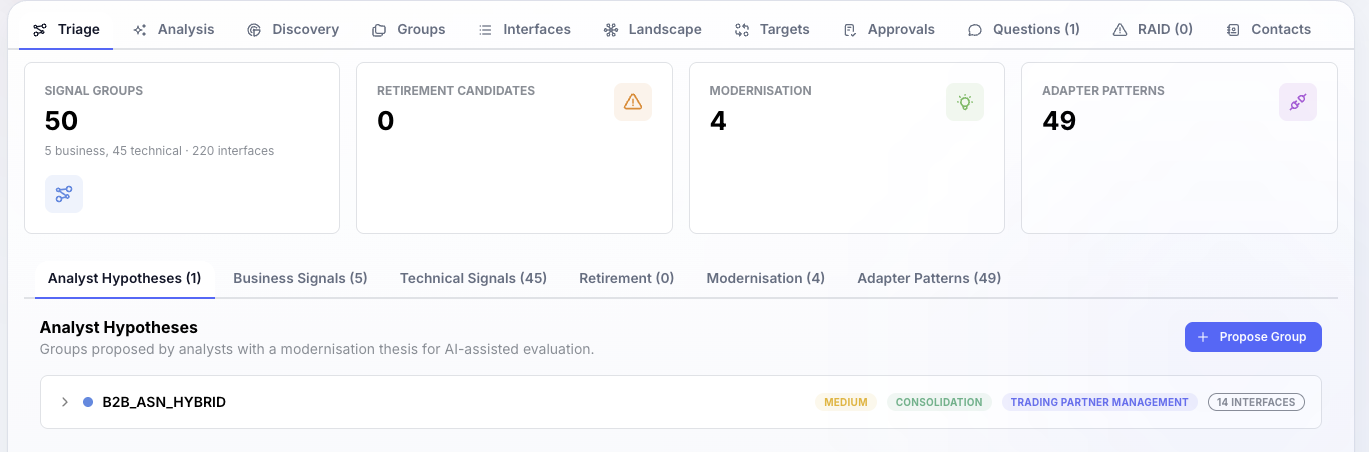
Every interface group gets a modernisation hypothesis: retire, rehost, refactor, or rebuild. Analysts work from data-driven recommendations with full visibility of scope, targets, and approvals.
Govern
Manage real migration delivery: RAID, questions, interface grouping, reporting and exports, with decisions captured and traceable so the plan survives delivery pressure.
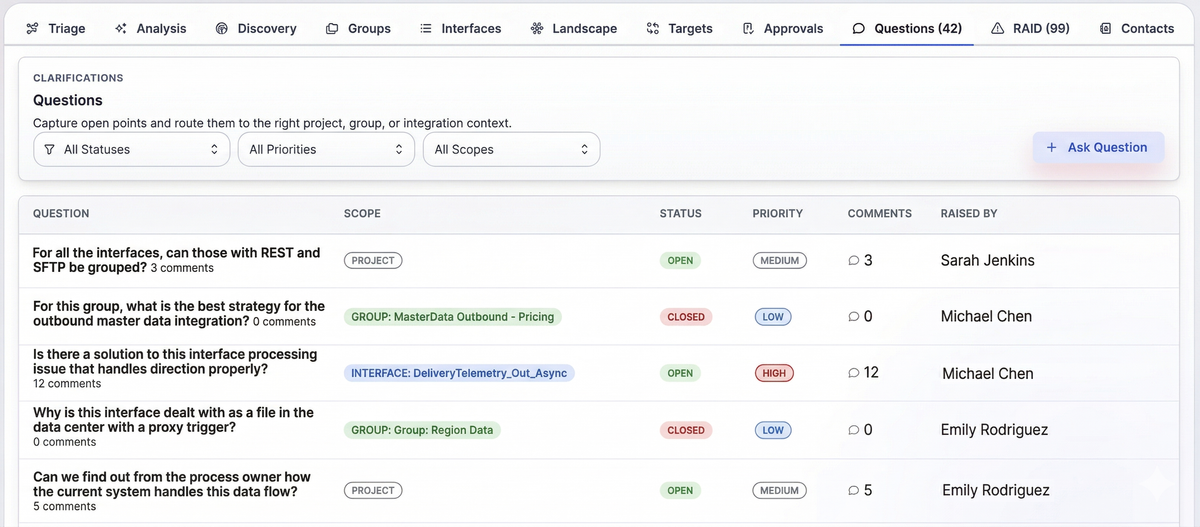
Collaborate
Analysts, approvers and stakeholders work from a single source of truth with role-based access and a complete audit trail. Design target interfaces, capture key decisions, and track mandatory controls.
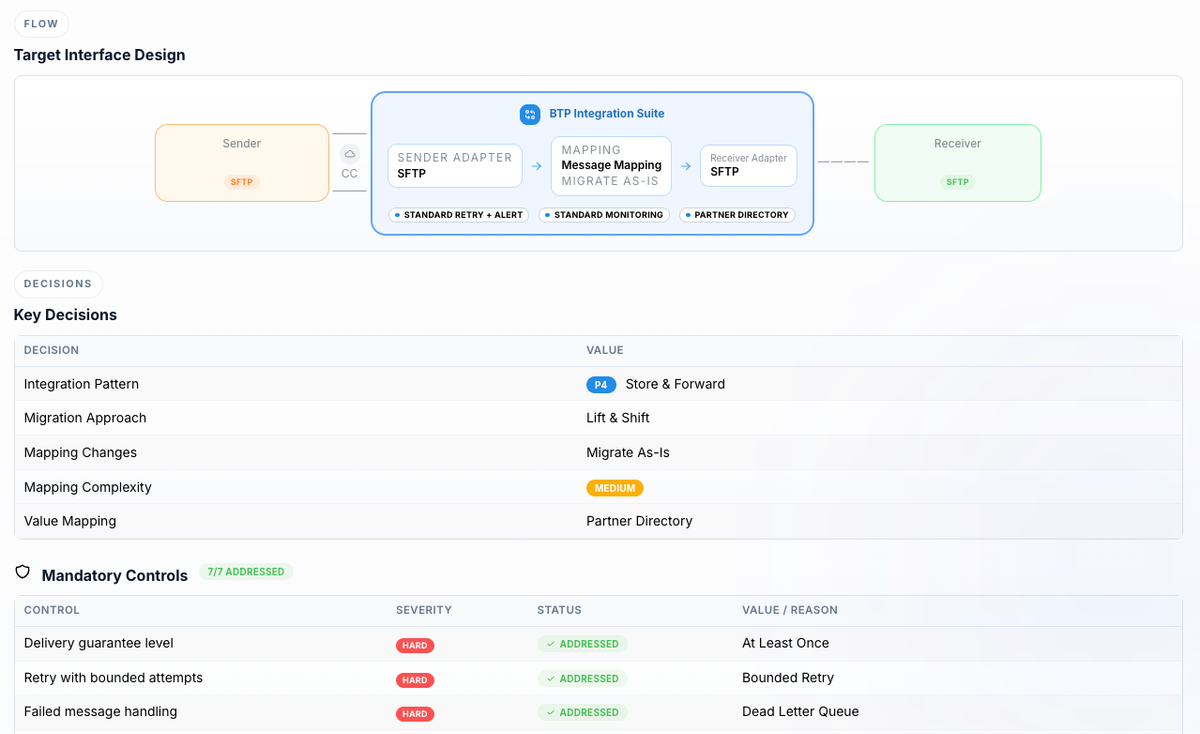
Migrate
Move from a list of interfaces to a migration-ready backlog: consolidated scope, prioritised waves, target patterns and adapters for SAP BTP Integration Suite, with approval-backed decisions.
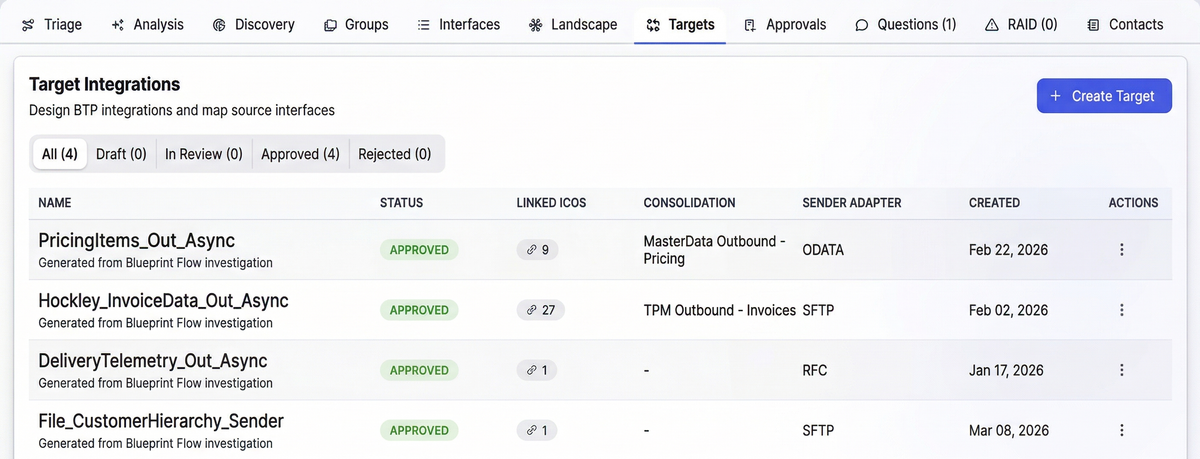
Migration framework
Every interface gets a modernisation decision
Switch drives optimisation, not replication. For every interface, the goal is to reduce duplication, improve maintainability, and modernise patterns.
Retire
Rehost
Refactor
Rebuild
Strong bias toward Refactor and Rebuild. Modernisation is the point, not replication.
Comparison
Switch vs Manual Migration
| Aspect | Manual / spreadsheet | Switch |
|---|---|---|
| Landscape discovery | Manual export & spreadsheet assembly | Automated extraction from SAP PO |
| Analysis | SME-dependent, inconsistent | AI-powered, systematic across all interfaces |
| Modernisation decisions | Ad-hoc, undocumented | 4R framework with auditable approvals |
| Governance | Scattered across emails & meetings | Role-based access, audit trail, RAID tracking |
| Dependency visibility | Partial at best | Full interface, channel, and mapping graph |
| Output | Scope estimate | Migration-ready backlog with target patterns |
Switch Assessment
Upload your SAP PO export and get a complete visualisation of every interface, channel, mapping and dependency, plus an initial modernisation view so you understand scope, risk and sequencing before committing to a migration programme.
FAQ
Frequently Asked Questions
What is Switch?
Switch is Beta Digital's SAP PO migration platform. It extracts your full SAP PO landscape (interfaces, channels, mappings, and dependencies) then uses AI-powered analysis to generate modernisation recommendations and a governed migration plan for SAP BTP Integration Suite.
How does a Switch assessment work?
You export your SAP PO configuration data and upload it to Switch. The platform analyses your integration landscape, visualises dependencies, and generates an initial modernisation view, so you understand scope, risk, and sequencing before committing to a migration programme.
How long does a typical Switch engagement take?
A Switch assessment typically takes 2–4 weeks depending on landscape complexity. The full migration planning phase (through to a migration-ready backlog) runs 4–8 weeks, depending on the number of interfaces and organisational approvals required.
What is the 4R framework?
The 4R framework is Switch's approach to modernisation decisions: Retire, Rehost, Refactor, and Rebuild. The strong bias is toward Refactor and Rebuild.
Can Switch handle complex SAP PO landscapes?
Yes. Switch is designed for enterprise-scale landscapes with hundreds or thousands of interfaces. The platform handles complex scenarios including multi-system fan-outs, custom adapters, and cross-landscape dependencies.
Do we need to stop using SAP PO during the assessment?
No. Switch works from a read-only export of your SAP PO configuration. Your production environment is not affected during assessment or planning phases.
Get started